

Turn your local business into one intelligent system.
Enter your website and business email. bstarOne will map your current local business footprint and show how your own AI Business OS can help with visibility, customer enquiries, follow-up, content, bookings, workflows, reporting, and daily operations.

"It feels like having a digital manager watching the gaps while I focus on customers."
— Marcus Reed, Studio Owner
See where your local business is leaking time, leads, and attention.
Submit your current website and business email. In 2–3 minutes, bstarOne automatically analyzes your public footprint to generate a personalised blueprint showing how bstarOne can help connect your local visibility, customer communication, follow-up, content, workflows, reporting, and AI-powered operations.
01
Audit & Blueprint
02
Watch Auto-Deploy
See what your local business is missing.
Your blueprint maps the hidden operating gaps that cost local businesses time, enquiries, bookings, reviews, repeat customers, and clarity.

Local Footprint Mapping
Your public business footprint is reviewed to identify gaps in local visibility, positioning, service messaging, offers, reviews, and customer pathways.
Starting point: your website
Content & Trust Gaps
- ✓ Local SEO content gaps
- ✓ Social proof opportunities
- ✓ Offer and service clarity
Mapped into CreativePro →
Enquiry & Follow-Up Leaks
Mapped into LeadSalesPro and CarePro.
Workflow & Reporting Blind Spots
Blueprint engine active
Why local businesses need a Business OS.
Most local businesses do not need another disconnected app. They need one connected system that helps them stay visible, respond faster, follow up consistently, and run daily operations with more control.
Local enquiries often arrive through Google, WhatsApp, forms, calls, social messages, and referrals. bstarOne helps bring customer communication, follow-up, and care into one connected operating layer so fewer opportunities fall through the cracks.
Your website reveals your current positioning, services, offers, local trust signals, and customer journey. The blueprint uses it as the starting point to map how bstarOne can connect your local business into a fuller AI Business OS.
CreativePro helps turn your services, products, offers, photos, promotions, customer stories, and local expertise into consistent marketing assets for your website, social channels, campaigns, and local visibility.
LeadSalesPro and CarePro help organise enquiries, customer touchpoints, follow-up reminders, booking conversations, support questions, and repeat-customer opportunities so your business stays responsive even when you are busy serving customers.
Your AI Store holds the knowledge that makes your Business OS useful: services, products, FAQs, offers, policies, workflows, Brand DNA, and customer-facing information. It gives your AI system the context it needs while keeping your business intelligence structured and portable.
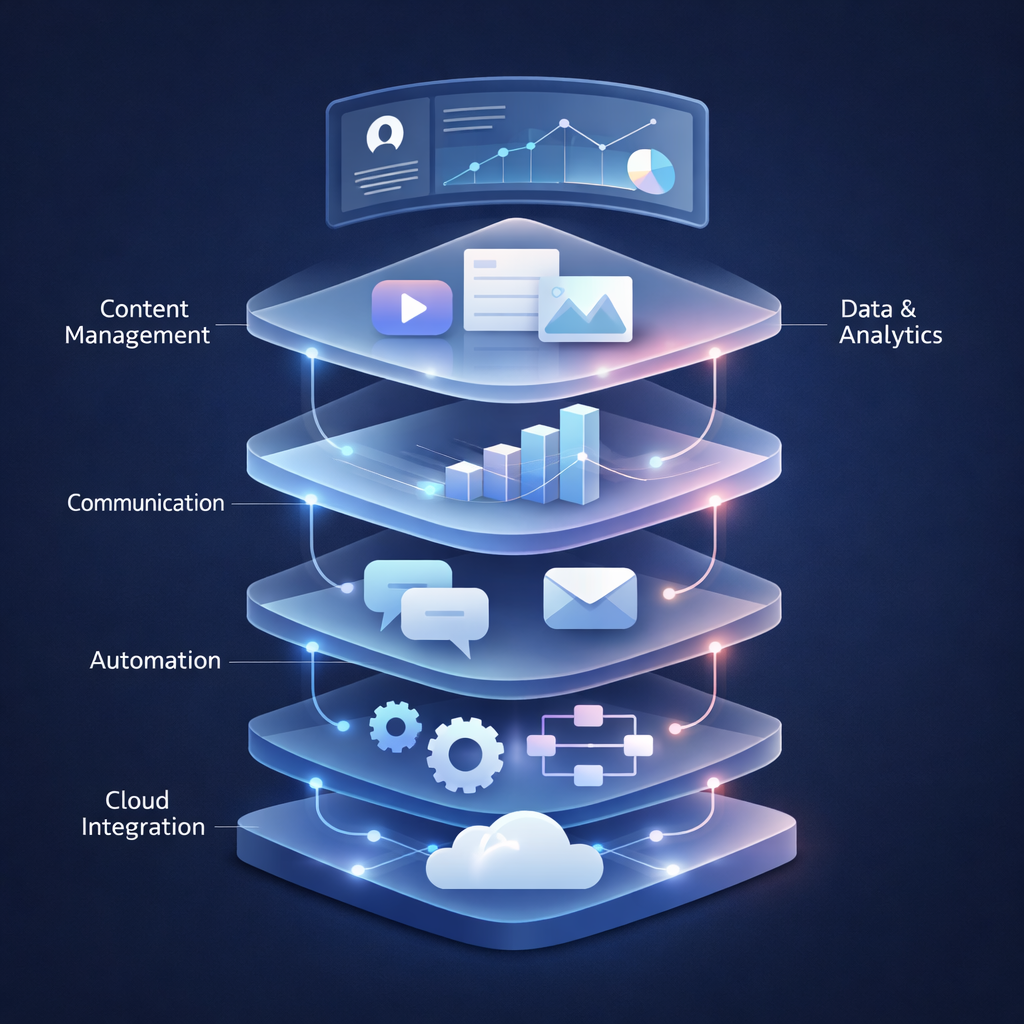
Four Engines. One Local Operating System.
Your blueprint shows how StartPro, CreativePro, LeadSalesPro, and CarePro can work together through one AI Core to support visibility, content, enquiries, follow-up, customer care, and local operations.
StartPro
Local Intelligence Engine
-
✓
Market Context
Map local demand, positioning, and service gaps.
-
✓
Brand DNA
Define your local authority and tone.
-
✓
Business OS Setup
Connect your business context to the AI Core.
CreativePro
Local Content Engine
-
✓
Service Content
Create pages, posts, offers, and campaigns.
-
✓
Visual Proof
Turn local work into polished marketing assets.
-
✓
Publishing Support
Support consistent visibility across channels.
LeadSalesPro
Enquiry & Follow-Up Engine
-
✓
Discovery Engine
Connect with neighborhood leads automatically.
-
✓
Follow-Up Sequences
Keep customer conversations moving.
-
✓
CRM Intelligence
Keep context, status, and next steps visible.
CarePro
Customer Care Engine
-
✓
Omni-Sync Hub
Bring WhatsApp, inbox, forms, and support together.
-
✓
24/7 Answers
Support common questions using your knowledge files.
-
✓
Smart Escalation
Hand complex requests back to your team.
From local business blueprint to deployed AI Business OS.
Start with a personalised blueprint. Then deploy your local Business OS yourself through automated setup, or work with the bstarOne team for guided implementation.
Get Your Personalised Local Blueprint
Enter your current website and business email. bstarOne reviews your public footprint and prepares a blueprint showing how your local business can improve visibility, customer enquiries, follow-up, content, workflows, reporting, and data control.
Show Me My BlueprintDeploy Yourself or Work With Us
After you receive your blueprint, deploy your personalised bstarOne Business OS through automated setup in around 10 minutes, or contact our team for consultation, guided setup, and done-with-you implementation.
Currently onboarding local businesses for this month.
Built for the businesses that keep communities moving
Localized intelligence for community-driven growth.
Explore local AI playbooks, regional marketing guides, business automation resources, and Business OS comparisons for shops, service companies, studios, clinics, venues, and community-based businesses.
UK Hub
UK-specific local business playbooks, high street automation guides, and service-business growth resources.
Enter Hub ->US Hub
US local marketing guides, service-area playbooks, customer follow-up resources, and regional Business OS examples.
Enter Hub ->Canada Hub
Canadian local business resources, bilingual deployment guidance, and provincial growth playbooks.
Enter Hub ->AU Hub
Australian local SEO, service-business automation, customer-care, and territory-specific Business OS resources.
Enter Hub ->Global Hub
Universal local AI infrastructure, business automation playbooks, and Business OS comparisons for any market.
Access All ->Step-by-step local AI setup.
Business OS examples by sector.
Local visibility and content guidance.
Scattered tools vs. bstarOne OS.
Commonly asked questions
Clear answers about the Local Business OS blueprint, self-deployment, guided setup, data control, and how bstarOne maps to your business.
bstarOne uses your website as the starting point to review your public local business footprint. You then receive a personalised Local Business OS blueprint by email showing where bstarOne can help with visibility, enquiries, follow-up, content, customer care, workflows, reporting, and data control.
No. Your website is only the starting point. The blueprint is designed to show how your local business can be mapped into a connected AI Business OS covering customer communication, follow-up, content, workflows, reporting, AI knowledge, and operational control.
Yes. After receiving your blueprint, you can deploy your personalised bstarOne Business OS yourself through the automated setup process in around 10 minutes. The flow is built for business owners who want a simple, guided start without technical complexity.
Yes. If you want support, you can contact the bstarOne team for consultation, guided setup, or done-with-you implementation. This is useful if you want help mapping services, customer journeys, knowledge files, follow-up flows, or local content workflows.
No. The process is designed for business owners and teams, not developers. You start with your website and email, receive your blueprint, and then choose whether to self-deploy or get support from the bstarOne team.
No. bstarOne is built around private business intelligence. Your AI Store is designed to hold your business knowledge, files, Brand DNA, service information, FAQs, workflows, and operating context for your own bstarOne environment — not to train public AI models.
Stop running your local business through scattered tools. Own your business engine.
Submit your website and business email to receive a personalised Local Business OS blueprint showing how bstarOne can help improve visibility, follow-up, customer care, content, workflows, reporting, and operational control.
Local Business OS onboarding available for this month.