



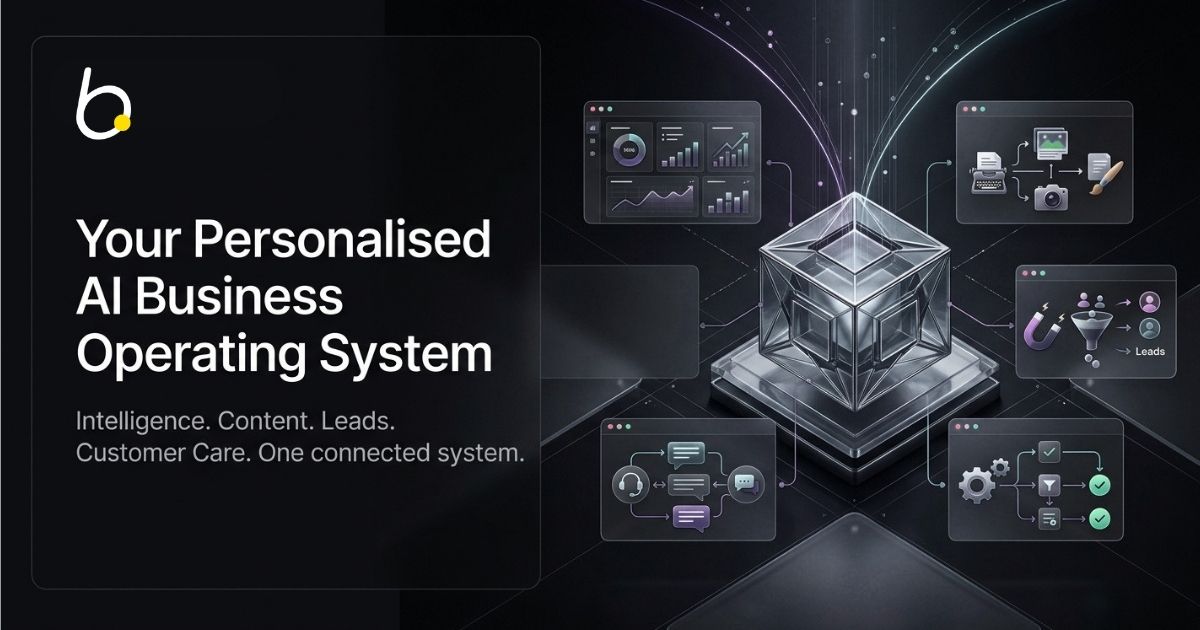
Businesses have more software—but not always more clarity
Modern businesses can find specialist software for almost every function: market research, content generation, social publishing, lead discovery, email outreach, CRM, customer support, websites, ecommerce, files, reporting, and workflow automation.
Many of these tools are useful individually. The difficulty appears when the business must operate across all of them.
Each application has its own data, settings, permissions, interface, subscription, and version of the truth. The owner or team becomes the integration layer connecting the stack manually.
The hidden work between tools
People copy information between systems, repeat company briefings, reconcile conflicting data, import and export files, update the same policy in several places, and manually transfer conversations from sales tools into customer-care systems.
- Business context must be recreated in each tool.
- Content, sales, and support may use different information.
- Prospect history can disappear when a lead responds.
- Permissions and automation settings become fragmented.
- Operating time is spent maintaining software rather than using it.
Automation inside one application does not remove the manual work required between disconnected applications.
Adding another isolated AI tool does not automatically solve the problem. It can create another place where business context must be rebuilt.
The deeper requirement is a shared intelligence foundation connected to specialized systems that can understand, create, discover, engage, respond, and learn.
What is an AI Business Operating System?
An AI Business Operating System is a connected environment that combines business knowledge, intelligence, specialist workflows, operating tools, and AI-assisted execution around a shared business context.
It is not simply a chatbot. It is not a bundle of unrelated applications placed behind one login. It is not a promise that every business decision should be automated.
An operating system begins with the company itself:
- What the company offers
- Who it serves
- How it is positioned
- What its market looks like
- Which information is approved for customers
- Which information is restricted to internal use
- Which workflows are active
- What level of automation is permitted
- When a person must review or take over
| Isolated AI Tool | AI Business Operating System |
|---|---|
| Begins with a prompt | Begins with approved business context |
| Produces an individual output | Coordinates an ongoing workflow |
| Operates separately | Shares relevant knowledge across systems |
| Requires manual transfer | Connects outputs to the next action |
| Usually has one general role | Uses specialized systems for different functions |
Generation is not the same as execution
A general AI assistant can help write an email. A Business OS can connect the market insight behind the campaign, approved offer information, the target prospect, engagement history, the reply, and the customer-care hand-off.
A content generator can create a social post. A Business OS can use current market intelligence and approved company knowledge to prepare it, place it into a publishing system for review, and preserve its relationship to the wider campaign.
The value is not only generation. The value is connected execution.
Introducing bstarOne
bstarOne brings five connected intelligence systems into one Business OS:
- bstarAI — shared business knowledge and intelligence
- StartPro — market intelligence and business presence
- CreativePro — content creation, review, and publishing
- LeadSalesPro — prospect discovery and Pulse engagement
- CarePro — unified communication and customer care
The Connected Operating Loop
StartPro helps the business understand its market. CreativePro converts that understanding into content and media. LeadSalesPro discovers and engages suitable prospects. CarePro receives replies and manages customer conversations. bstarAI organizes and supplies the approved knowledge used throughout the process.
The platform also connects with operating components such as bstarCRM, bstarPublisher, bstarOffice, websites, ecommerce, files, dashboards, workflows, and Prime Workspaces.
Why bstarOne begins with a Blueprint
Most software begins by giving the customer an empty account and asking them to configure it. bstarOne begins with a personalised Business OS Blueprint.
A local business, an online shop, a consultant, and a startup may use the same platform, but they should not receive the same configuration. Their markets, customers, knowledge, risks, and priorities differ.
Step 1: Business OS Blueprint
The business provides its website and business email. bstarOne reviews the company’s public footprint and identifies opportunities across:
- Market positioning
- Search and digital visibility
- Content
- Lead generation
- Follow-up and engagement
- Customer care
- Workflows and reporting
- AI-assisted operations
- Operating control
The Blueprint is not a guaranteed performance forecast, a private-data audit, or a commitment to deploy. It is a structured starting point for understanding what exists, what may be missing, and what should be prioritized.
Step 2: Deployment
The business reviews its company profile and chooses self-deployment or guided setup. Standard self-deployment can be completed in around ten minutes, depending on the profile, configuration, and technical conditions.
A working starting point—not an empty dashboard
The objective is to give the business a working environment it can inspect, test, edit, and expand from the first login.
bstarAI Store
An initial company knowledge structure and source of truth.
Initial Intelligence
Company and market context for the connected Business OS.
Alex Private
An internal assistant for authorized business work.
Alex Public
The customer-facing engine for SmartPro workflows.
CreativePro Drafts
Initial social and website content prepared for review.
LeadSalesPro Context
Market, audience, offer, and positioning context.
CarePro Inbox
A generated email address powered by Alex and ready for testing.
Operating Workspaces
Connected access to publishing, CRM, files, websites, and workflows.
The customer can send a test message to the generated CarePro address and typically receive an automatic reply within approximately one to two minutes.
Deployment does not represent a finished business configuration. It creates the first working version that the business can review and improve.
bstarAI: one knowledge foundation, two AI engines
Business automation becomes more useful when the systems performing the work can access accurate, approved, and relevant company knowledge.
The bstarAI Store
The Store can organize documents, text files, structured data, policies, manuals, product information, service information, sales resources, support knowledge, media, brand information, and restricted internal resources.
It is managed through bstarOffice using a cloud-drive-style workspace. Desktop and mobile applications are available. Store knowledge is synchronized automatically every 24 hours, and users can initiate a manual synchronization when an important update is required sooner.
Alex Private
Alex Private supports authorized internal work. It can summarize reports, review resources, draft internal documents and strategic emails, help locate company knowledge, and provide an approved context to team members.
Alex Public
Alex Public powers customer-facing SmartPro workflows, including content, lead engagement, customer care, and website chat. It uses only the knowledge approved for external use.
Daily insights and transcripts
Alex can prepare recommendations that identify common questions, knowledge gaps, customer interests, repeated operating issues, and potential process improvements. AI-chat transcripts can be saved to the aichat-messages folder for authorized review.
StartPro: market intelligence and business presence
StartPro helps a business determine where demand exists, who it should serve, what motivates those buyers, how it should position itself, and which digital presence it needs to pursue the opportunity.
FlowSuite
- MarketPulse Pro: demand, search intent, competitive signals, and opportunity patterns
- IdeaScore Pro: evaluation of content, campaign, offer, and business ideas
- BuyerMap Pro: motivations, pain points, objections, and decision triggers
- LaunchPath Pro: structured execution planning
- BrandCore Pro: positioning, messaging, tone, and value proposition
- LocalEdge Pro: local demand, service gaps, geographic trends, and expansion opportunities
StartPro Presence
StartPro connects market understanding with brand and strategy, SEO, bstarPages, bstarSites, bstarShop, websites, ecommerce, and available Prime Workspaces.
MarketPulse Pro supplies the intelligence foundation required by the other FlowSuite tools and can provide useful context to CreativePro, LeadSalesPro, and CarePro.
Explore StartPro →CreativePro: intelligent content creation and publishing
CreativePro connects MarketPulse intelligence, approved bstarAI Store knowledge, and instructions supplied through a Smart Doc.
- Easy Social: posts, captions, hashtags, media, and publishing drafts
- Easy Website: articles, supporting media, and website or CMS drafts
- Showcase Products: coordinated product images, videos, captions, and campaign assets
- Showcase Services: explainers, infographics, carousels, and presentation assets
- Presence Twin: presenter-led media using authorized appearance and voice assets
- Presence DuoCast: two-person digital content currently in development
- Media Hubs: specialized workspaces for different business types
Review and publishing
bstarPublisher supports LinkedIn, Instagram, TikTok, YouTube, X, Facebook, Threads, and Google Business. Eligible workflows include a default 24-hour review window during which the user can edit, approve, reschedule, or remove content.
Supported website and blog workflows include WordPress, Ghost, Joomla, bstarSites, and bstarShop.
CreativePro is therefore more than an asset generator. It connects intelligence, business context, production, human review, and publishing.
Explore CreativePro →LeadSalesPro: discovery, Pulse engagement, and pipeline continuity
LeadSalesPro connects three stages:
- Autonomous Discovery
- Pulse Campaign engagement
- Auto-Lead Follow-up
Autonomous Discovery
LeadSalesPro uses the business’s market intelligence and Ideal Customer Profile to discover prospects, enrich available information, validate contact channels, score relevance, and synchronize qualified context with bstarCRM.
Pulse campaigns
Pulse creates adaptive engagement tasks according to each prospect’s available digital footprint. A campaign may include email, LinkedIn, Instagram, WhatsApp, website forms, chatbot tasks, and other supported manual actions.
Current supported automatic engagement can include LinkedIn, Instagram, and WhatsApp. Pulse can prepare manual tasks for X, Facebook Messenger, website forms, and chatbots. Additional automatic capabilities are in development.
Auto-Lead Follow-up
- Lookalike Anchor: similar businesses in the same market
- Horizon Expander: similar businesses across expanded locations
- Trigger-Event Discovery: relevant events and intent signals
What happens when a lead replies?
The active Pulse sequence pauses, unnecessary follow-ups stop, and the conversation moves into CarePro with the available engagement context. Alex or a team member can then continue the interaction.
MailStream
Optional MailStream infrastructure includes 50 mailboxes without per-mailbox or seat fees for the included infrastructure. Mailboxes remain available while the applicable MailStream service remains active, subject to the service terms, and sending is charged at one bstarCredit per email.
Explore LeadSalesPro →CarePro: unified communication and AI customer care
CarePro brings supported lead and customer conversations into one environment and gives Alex the approved knowledge required to respond consistently.
Current supported channels include email, WhatsApp, Instagram, LinkedIn, Line, and website chat. Additional integrations are in development.
Response modes
- Auto Mode: Alex sends supported replies automatically
- Semi-Auto Mode: Alex prepares a private draft for review
- Manual Mode: a team member manages the conversation
- Smart Escalation: Alex flags interactions requiring human judgment
Alex can analyze intent, consider sentiment, use approved knowledge, include relevant links or documents, distinguish sales from support inquiries, and escalate sensitive or high-value conversations.
The purpose is not to remove people from customer communication. It is to preserve human attention for the conversations where judgment, trust, and personal involvement matter most.
Explore CarePro →How the complete system works together
Imagine a business preparing to introduce a new service.
- StartPro analyzes demand and identifies an opportunity.
- BuyerMap Pro explains customer motivations and objections.
- BrandCore Pro establishes positioning and messaging.
- LaunchPath Pro creates an execution plan.
- CreativePro creates website and social content.
- bstarPublisher holds the content for review.
- LeadSalesPro discovers suitable prospects.
- Pulse coordinates engagement across available touchpoints.
- A prospect responds and the active Pulse sequence pauses.
- CarePro receives the conversation and its available context.
- Alex replies, prepares a draft, or escalates to a person.
- New approved knowledge can be added to the Store.
The individual tools matter. The hand-offs between them matter more.
This is the difference between a feature collection and an operating system: context moves through the process.
One system configured for four business realities
Solopreneurs
Turn expertise into an operating system
Organize services and methodologies, clarify the market and offer, create consistent content, discover prospects, and manage routine customer communication without pretending to replace personal expertise.
Explore this path →Local Businesses
Connect local demand and customer care
Identify local opportunities, create location-aware content, improve digital presence, discover nearby prospects, and unify inquiries around current service and policy knowledge.
Explore this path →Online Shops
Connect product media, acquisition, and support
Coordinate product knowledge, campaign media, social and website content, B2B prospecting, customer questions, shipping information, and support policies.
Explore this path →Startups
Validate, launch, and build repeatable operations
Evaluate opportunities, map buyers, create a shared source of truth, prepare launch content, discover early adopters, and preserve customer feedback as the company develops.
Explore this path →Prime Workspaces and Expert Services
A connected platform should not force every specialist task into one generic interface. Prime Workspaces provide focused environments for brand and strategy, SEO, media production, websites, ecommerce, business files, collaboration, and specialist operating projects.
Optional Expert Services can support:
- Business OS consultation
- Guided deployment
- Knowledge preparation
- Custom workflows
- Third-party integrations
- Done-with-you implementation
- Strategy and operational support
A company can self-deploy the standard foundation and request specialist assistance only where it creates additional value.
Vanguard: building services around Business OS deployment
Vanguard is the partner program for people and organizations that want to introduce, deploy, configure, integrate, and support bstarOne for clients.
It is designed for:
- Aspiring entrepreneurs and recent graduates
- Lead-generation and GTM professionals
- Consultants and network-led professionals
- Digital agencies
The Vanguard framework
- Vanguard GTM: market access and client acquisition
- Vanguard Deploy: Business OS provisioning and implementation
- Vanguard Backing: agreed resources and support under the relevant partner track
Vanguard partners can build professional services around Blueprint reviews, Store preparation, deployment, SmartPro configuration, campaigns, integrations, training, and ongoing optimization.
Vanguard is not intended to reduce partners to referral links. Its purpose is to help capable professionals build real implementation and operating services around connected AI infrastructure.
Explore Vanguard →Genesis: a Business OS foundation for business ecosystems
Genesis is designed for accelerators, coworking spaces, innovation hubs, founder communities, online communities, entrepreneurial programs, and other organizations supporting groups of businesses.
These ecosystems often provide mentoring, education, networks, and introductions, but participants may still lack a connected operating system for applying what they learn.
Depending on the program structure, Genesis can provide access to:
- Personalised Business OS Blueprints
- Business OS deployment
- bstarAI Store and both Alex engines
- Initial company and market intelligence
- Initial CreativePro content
- LeadSalesPro context
- A CarePro inbox
- Workspaces, training, and deployment support
Genesis is best understood as an ecosystem-enablement model—not merely a referral program.
Explore Genesis →How Vanguard and Genesis work together
| Vanguard | Genesis |
|---|---|
| Operators, consultants, and agencies | Accelerators, hubs, and communities |
| Direct client implementation | Ecosystem-wide access |
| Professional services are central | Program enablement is central |
| Supports individual business deployment | Supports members and portfolios |
Genesis can create access across a community, while Vanguard operators provide implementation and specialist support. bstarOne supplies the platform, and each participating business receives its own configured system.
Imagine: permission-controlled execution across connected accounts
Announced on September 6, 2026, Imagine advances bstarOne from shared intelligence toward permission-controlled execution.
Connected Accounts
Businesses can connect supported accounts such as LinkedIn, Instagram, and WhatsApp and decide what the system is permitted to prepare or perform.
Omnichannel Pulse
LeadSalesPro can create engagement tasks using the communication touchpoints available for each prospect. Depending on the available information and selected permissions, a sequence may include warm-up engagement, connection requests, personalized messages, email outreach, and supported website interactions.
Contextual CarePro hand-off
When a prospect responds, Pulse pauses and the conversation moves into CarePro with the available engagement history.
Partner expansion
Imagine also supports expanded Vanguard pathways and wider Genesis availability for coworking spaces, technology accelerators, innovation hubs, and online communities.
The objective is not more disconnected automation. It is permission-controlled execution across connected business systems.
Human control is part of the architecture
Different workflows require different levels of oversight. A routine support answer may be suitable for automatic handling, while a sensitive complaint, strategic decision, or important relationship may require a person.
Recommendations
The system suggests a next action without performing it.
Drafts
Content or responses are prepared for approval.
Approved Actions
Defined supported actions run within selected permissions.
Human Escalation
A person takes over when judgment or attention is required.
CreativePro can hold content for review. LeadSalesPro can combine automatic and manual tasks. CarePro supports Auto, Semi-Auto, and Manual modes. Alex Public can access only approved customer-facing knowledge.
Privacy, knowledge boundaries, and integrations
The bstarAI Store is private to the customer’s account, and proprietary business data is not used to train public AI models.
Alex Private can work with authorized internal information. Alex Public is restricted to approved customer-facing knowledge. This creates a practical boundary between internal assistance and external execution.
Potential extensions include booking systems, CRM systems, third-party APIs, webhooks, MCP servers, team-specific permissions, and custom business logic.
Integration feasibility depends on the external system, its APIs, authentication, data structure, required actions, and implementation scope. Not every integration is a one-click connection.
Formal privacy, security, and contractual information is available through the compliance and legal pages.
Access, usage, and bstarCredits
bstarAI and the four SmartPro solutions are included with bstarOne Pro. There is no separate monthly subscription or retainer for every individual SmartPro solution.
Usage-based actions consume bstarCredits when they are run. These may include intelligence generation, AI content, media production, lead discovery, engagement, communication, and other supported compute or workflow tasks.
Optional Expert Services, managed implementation, custom integrations, specialist infrastructure, and bespoke workflows may be priced separately.
Review bstarOne pricing →Common questions
What is bstarOne?+
bstarOne is an integrated AI Business Operating System connecting business knowledge, intelligence, content, lead generation, customer communication, and operating workflows.
What happens during deployment?+
Standard deployment creates the bstarAI Store, initial company and market intelligence, Alex Private, Alex Public, initial CreativePro drafts, LeadSalesPro context, a test-ready CarePro inbox, and connected operating workspaces.
What is the difference between Alex Public and Alex Private?+
Alex Private supports authorized internal work using approved internal knowledge. Alex Public uses only information approved for customer-facing SmartPro workflows.
Does “Public” mean the Store files are publicly visible?+
No. Public means approved for customer-facing AI use. It does not mean that the underlying Store files are openly accessible online.
Can bstarOne workflows require human approval?+
Yes. Depending on the workflow, bstarOne supports recommendations, drafts, approved automatic actions, manual operation, and human escalation.
Who is bstarOne designed for?+
bstarOne is designed for solopreneurs, local businesses, online shops, startups, and growing SMEs. Vanguard supports operators, consultants, GTM professionals, and agencies. Genesis supports accelerators, coworking spaces, hubs, and communities.
The operating model behind bstarOne
The central problem facing modern businesses is not a lack of software. It is that knowledge, tools, and workflows do not operate from the same context.
A market-intelligence report that never reaches the content system has limited value. A lead-generation campaign that loses its history when a prospect replies creates unnecessary friction. A customer-care assistant without current policies is unreliable.
bstarOne is designed to connect these functions:
- Understand the market
- Organize business knowledge
- Create from approved context
- Discover and engage relevant prospects
- Preserve context when they respond
- Support customers consistently
- Escalate when human judgment is required
- Learn from interactions and improve future workflows
The objective is not to remove people from the business. It is to reduce the time people spend moving information between disconnected systems, allowing them to focus on judgment, creativity, expertise, and relationships.